What's new
What's new in SharpShooter Gold and Pneuma, and what each one means at the rig. Every update comes to your copy through the normal download; your saved jobs are kept.
8 October 2026 · in the demo download now
The 3D view becomes a game you can drill and score against Pneuma, the Engineering menu puts well control, hydraulics, torque and drag, cementing and the anti-collision plots in one place, and every unit can be picked for the job.
The 3D simulator is a game you drill: set the toolface, slide, rotate and hold the key to make hole. The metres slid and rotated count up for the stand and in all, the path draws as you go, and the bit reads above or below and left or right of the plan.
Each run is scored out of 100 - staying on the plan, rotating instead of sliding, and a smooth hole - against Pneuma's own plan over the same depth. See Pneuma's plan shows her slides and the metres slid and rotated to TD, then plays it from the bit.
The wells drawn by the graphics card and flown like a game, with the mud motor and BHA at the bit and the bit turning. A long lens keeps distances true, the pad picture is see-through, formation tops sit on the walls and every survey shows a tool joint. The window opens full screen with its tools in sections that fold, and the offset wells in one drop-down.
The kill sheet from the job's own numbers - kill mud, initial and final circulating pressure, strokes and the step-down - with MAASP, kick tolerance, and the swab and surge of a trip.
Buckling limits and critical rotary speeds on the Torque and drag page; the build a motor should give before the first slide, from the bend and the stabilisers; slurry volumes, displacement, the pressure to land the plug and centraliser spacing.
From the rig feed: washout, pack-off, hanging up and a drilling break, each saying what was seen and pointing to the rig's own procedure. Set the limits for each job under Thresholds.
A ladder plot, a separation factor plot and the travelling cylinder for the offset wells. Declination, dip and field come from the World Magnetic Model built into the program.
Pick each unit for the job: pressure in kPa, bar, MPa or psi; mud weight in kg/m³, SG, ppg, lb/ft³, kPa/m or psi/ft; and the weight, torque and flow units the rig reads.
Ask her to switch the rig feed, run a what-if, watch the well or start the paperwork - she does it after a yes. Every one of her calls is scored against what was drilled.
3 October 2026
Pneuma reads the well plan to know which part of the well you are in and asks for the drilling window in those words, warns you what is coming up, and takes more of your files - formation tops, another company's BHA report, a KellyDown export.
Vertical: one radius around centre, with an optional hold point north, south, east or west. The build: ahead, behind, left and right, with a hold ahead and to the right. The lateral: high, low, left and right. Say it plainly - "3 m radius, hold 2 m north" - and she holds the hold point as if it were the plan.
Her note names the next change in the plan within 100 m of the bit - the kick-off point, a nudge, the build, a turn, the landing - with its depth, how far past the bit it is, the hold that runs to it and the window the next part needs. She says it aloud once as it comes within two stands.
"Try now" (try again, redo, start over) drops the call you gave her for the stand and she calls it fresh from the newest numbers. Think - Quick, Careful or Deep - sets how long she thinks before a written answer.
Job settings has a Formation tops card: the job's tops with their depths and where they came from, brought in from the well plan PDF, from Excel or CSV, or typed in.
Import BHA sheet reads the "Bottom Hole Assembly" report some service companies print - millimetres, metres, serial numbers, the motor and bit blocks. Import database takes a KellyDown export: the legs and plans, the slides and the bit to sensor.
The Offset wells selector has Show nearest 10 beside Show nearest 5. The anti-collision's automatic model is the basic MWD model on purpose - the worst case, with no sag, axial or multi-station correction assumed - until the survey company's models are loaded.
1 October 2026 (2)
A new well, an offset you typed in or a well database you brought in now calculates its anti-collision with nothing to set up. The survey import reads any spreadsheet layout, cleans up typed-in surveys on a fresh import, and Pneuma takes a survey list, slide sheet or BHA sheet you hand her.
Every well with surveys but no uncertainty model chooses one: the well's own survey-tool models when the library has them, otherwise the public ISCWSA MWD model, with a zero starting allowance, the first survey taken as ground level and the job's magnetic field. Each choice is marked Automatic in AC setup, and the survey company's models replace it when you have them. A well database or EDM file that calculated nothing before now calculates every well.
Import Excel finds the survey depth, INC, AZ and TVD columns in any layout - SD, MD, Inc, Azi, TVD and the rest, titles above and notes below left out, and by the numbers when the headings don't say. It takes .csv and .txt tables too, checks the rows by itself and says plainly what Import is waiting for.
With surveys already on the job the import starts on Replace: between the list's first and last depth the saved surveys are made to match it, and typed-in surveys the list doesn't have are taken out. The tie-in, the rows above and below and every slide stay, and a backup is saved first. A new leg of a multilateral is made with Multi-lateral on the BHA / Section page first.
Attach a survey list, a slide sheet or a BHA sheet in Pneuma's window and say "import these surveys" or "add this BHA". A spreadsheet opens straight in the import window with its columns found; a photo or a PDF is read by her into the window for you to check. Nothing is saved until you press Import.
Importing an EDM or a well database asks for the active well first - type part of its name, number or location to find it - and asks "Is this the well you are drilling?" before anything is imported.
Pneuma's snapshot carries TD, the end coordinate, the distance to go, where the bit lands if its angles are held, and the aim to centre. The program also keeps its memory in check: a cap on what it uses, memory given back when idle, and your work saved with a plain message if memory runs low.
1 October 2026
Pick Day or Night and every window follows. The survey sheet is easier to read across the doghouse, each new assembly asks for its section's dogleg limit and drilling window, and rotary steerable jobs get a look of their own.
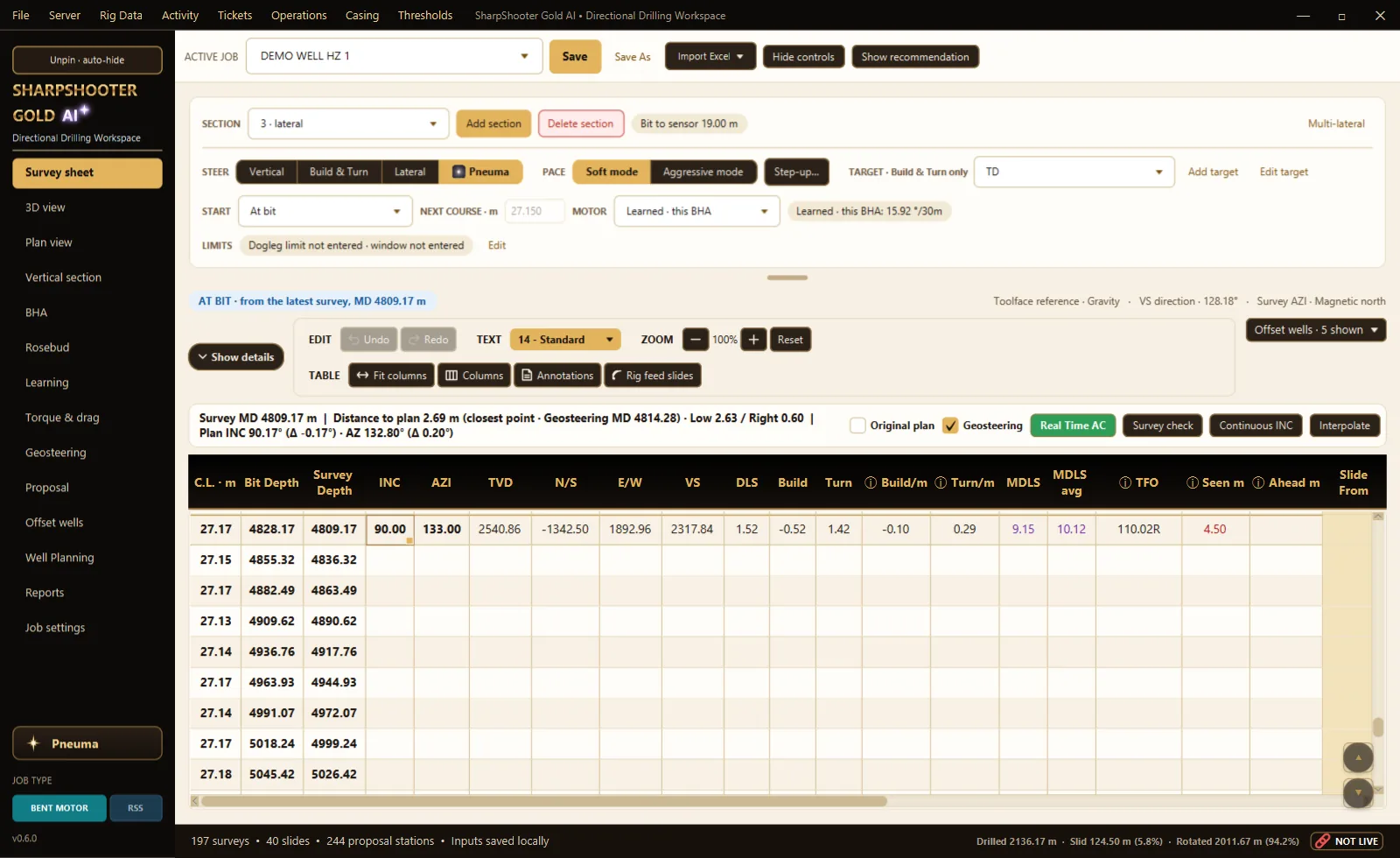
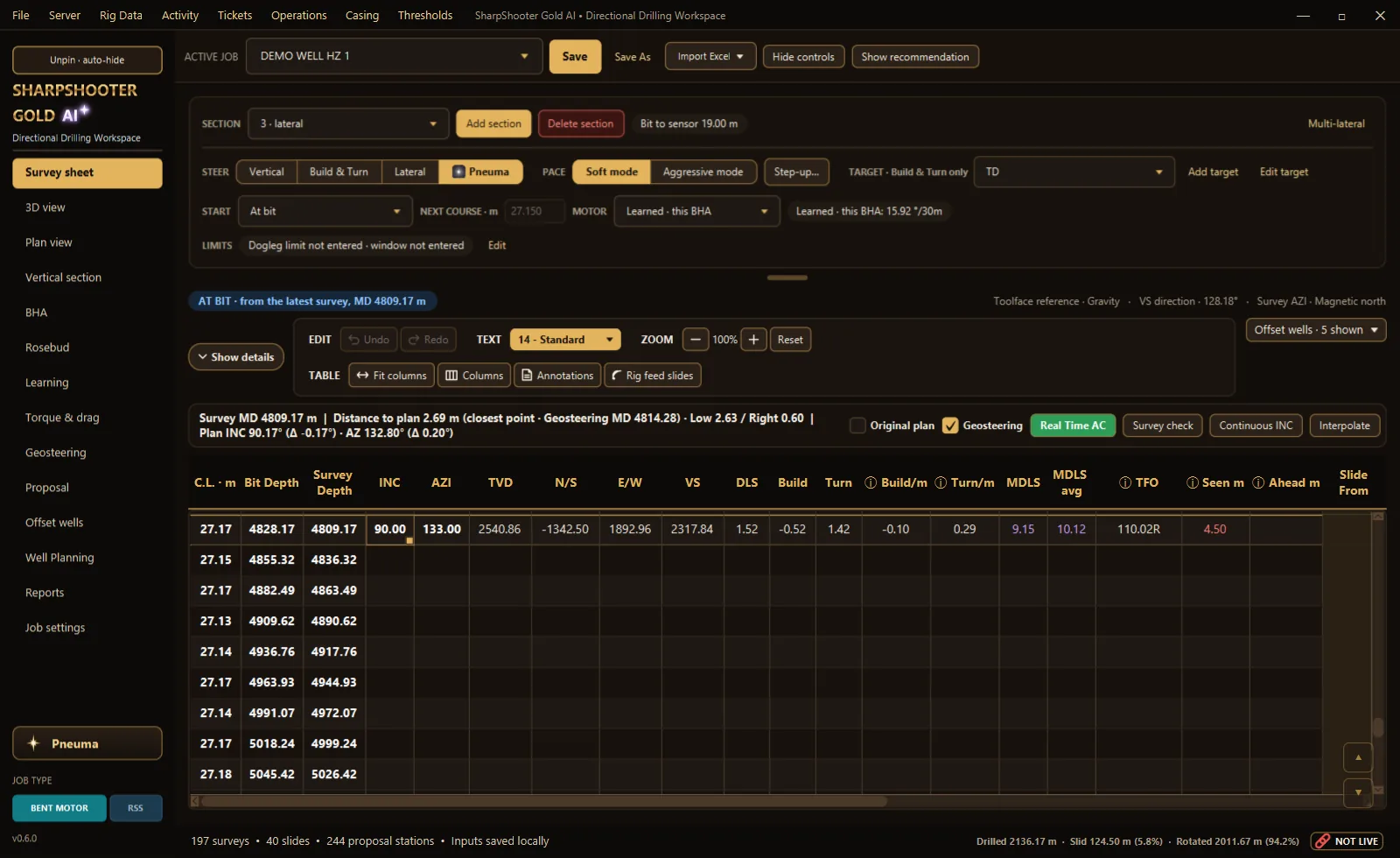
Choose Day or Night and every window, tab, chart and box follows - the survey sheet, the 3D view, the reports and Pneuma. Your choice is kept for next time.
The sheet uses SharpShooter's own colours instead of a plain grid, with a line between each column. A Text size list beside Undo and Redo makes the numbers bigger or smaller without zooming the whole sheet.
Subsea TVD, N/S, E/W and VS now sit right after TVD, and MDLS sits after Turn/m. The survey check column sits after Proposed formation and stays off until you turn it on under Columns.
Adding an assembly asks for this section's dogleg limit - from the well program or the client - and its drilling window: high, low, left and right, offering the last assembly's numbers. Both show on the sheet with an Edit, and the steering call never asks for more dogleg than the section allows. When it holds a call back, it says so.
A rotary steerable job has its own side bar colour, so you always know which sheet you are on. On those jobs Pneuma knows it is a rotary steerable: she never suggests a slide, and suggests the next downlink's toolface and steering instead. Advice only - the directional driller decides.
The "stand ends" tile and Pneuma now give where the next stand ends, not the bit's own depth when a connection is a hair past the bit.
28 September 2026 · Pneuma on the website, the program and the phone app
Kinsley and Kane now know how an experienced directional driller calls each part of a well, and they practise their answers against their own written principles. Pneuma in the phone app without the computer, and her own voice downloaded to your computer and phone, are on the way.
Ask Pneuma how to call the kick-off, the curve, a drop, a tangent, the lateral and a lateral turn: kick off about a single early, be a few degrees ahead coming into the bottom half of the curve and ease onto the plan to land, never aim down in a build, hold a tangent by shooting a degree or two past it, and set up early for the closest approach of an offset well. Advice only - the directional driller decides.
When nobody is talking to her, Pneuma practises: she answers questions from her own lessons, checks each answer against her written principles - safety first and the rig's procedure, the directional driller decides, honest, never guessing a number, plain words, private - and writes it again better. Only her lessons and SharpShooter Gold's own teaching are used, never your questions.
In the SharpShooter Gold phone app, Talk to Pneuma right from the sign-in screen: without the computer she answers from the website; signed in, she reads your well and works your sheet as before.
Download her voice once and Kinsley and Kane speak in their own voices without the internet - nothing she says leaves your computer or phone to make her voice.
27 September 2026 · in the current download - Field, Office and the demo
The survey sheet asks before a depth change moves the rows below, the rig feed fills in slides and surveys, and Pneuma works the sheet on your own computer. In the Field, Office and demo downloads now, and copies from 23 September on offer the update when they open.
Type a new Bit Depth, Survey Depth or C.L. on a row with rows below it and the sheet asks: carry every depth below down with it, so each course keeps its length - or move just this station, and its C.L. and the next one change. Undo takes it back.
Slides off the rig feed go on the sheet by themselves, one row per course, each from its own survey's bit depth, with the toolface held and the length slid. A slide that starts just before a survey goes on that survey's row with its whole length, and its note keeps where the feed saw it start.
Sliding takes more weight set down than rotating, and the string squeezes shorter while the depth at surface runs on. With the weight on bit on the feed, SharpShooter works out that squat for each slide and takes it off the effective slide length - with a correction you set through Pneuma.
A rig feed survey that does not line up - a survey missed, one too short - or bends more than 45 waits for you: a window on any page and a red bar. Use the feed's takes the feed's INC and AZ, never the depth. A survey more than any motor makes is flagged and kept out of the averages until you OK it.
A suspected motor stall on bottom and stick-slip while rotating are written on the activity line and the status bar, pointing you to the motor provider's and the rig's procedure.
In the program Pneuma shows and fixes your surveys, slides, targets and BHAs on this computer - "fix the slides", "change the survey at 1650.25 AZ to 142.5", "what should I slide" - each change said first, made after a yes, checked on the sheet, one Undo.
"Watch my WITS feed": Pneuma learns this rig's sliding RPM, pumps-on level and longest connection and sets the activity thresholds. The feed never leaves the rig computer.
In the program Pneuma reads her answers aloud in her own voice, piece by piece - also the answers she works out on your computer. Only the words go to our server to make the sound, and nothing is kept.
From 25 September: the job passes between two computers over the serial cable, EDR traces like the rig's own screen, the Rosebud page, a yellow AC light before the red, the formation's own rotary trend and a tidied 3D chart.
The Daily Setup and Use guide (27 September) covers carry down, feed slides at the survey and squat; the WITS set-up guide is in every Field and Office package.
26 September 2026 · on the website, free for two years
Ask a directional drilling question or give it the numbers: Pneuma works them out with exact formulas, finds the answer in the SharpShooter library and asks for anything missing - on the website, as its own app and in the program. It runs on SharpShooter Gold's own server, and what it learns from your questions stays with you. Free until 26 September 2028 - no account needed on the website. The demo is now SharpShooter Gold AI, with Pneuma built in.
Sail angle for a TVD change, DLS to land the curve, slide length, toolface for a new inclination and azimuth, motor yield, minimum curvature, projections, hydraulics and unit conversions - worked with the formulas, not guessed. A missing number gets a form to fill in.
A survey from the six raw sensor readings with its gravity, field and dip checks, mud pump noise frequencies, EM signal reach, pulse travel time, data words and pulse positions decoded by hand - and the motor's speed and torque and a jar's pump-open force.
When the library does not have it, Pneuma looks it up in free sources - Wikipedia, Stack Overflow for code, research papers - and says where the answer came from. Paste a web address and she reads that page or PDF for you. The weather comes live from Environment Canada and the US National Weather Service - name the town, or just ask and she uses your location.
In the program tick Use this well: Pneuma takes SharpShooter's own motor output, the call, the plan and the last survey for whatever your question leaves out.
Give Kinsley and Kane standing instructions: "from now on answer in imperial", "always give the slide metres first", "call me Kel". They follow them in every answer - on the website, in the app and in the SharpShooter program - until you say "forget my instructions". Yours only, and never above the safety rules.
Kinsley and Kane read their answers aloud in their own voices - Kane deep and rough, Kinsley warm, both American - with Read aloud and a Stop button. Press the microphone and speak - a spoken question gets a spoken answer. Install it as its own app on a computer or phone.
Signed in, your chats are listed on the side - open one to carry on, or delete it; Pneuma calls you by your first name, and a new question stops the old answer. And the whole Bible is on board: ask for any verse or chapter and she reads it word for word (World English Bible or King James Version); ask about faith and she says what the Bible says and what Christians believe.
Serial cables, COM ports, networks and the phone connection, one step at a time - the SharpShooter set-up first. In the program it reads the computer check and says what to fix.
What Pneuma and SharpShooter learn stays within your own - or your company's - system: never shared with, or used for, another company or user. Questions are kept encrypted, and you agree to the privacy notice before the first one.
Tell Pneuma to remember something, or put an answer right, and she answers with it next time - "You told me ...". It stays in your account, or your company's with the company data agreement. She works out what you meant through typing errors and says "I think you meant ...".
Safety, honesty and child safety are built in and cannot be switched off. Licence agreement 2026-09-26.2 says it in formal terms (section 4.3): every slide recommendation - from the program, the phone app, the client portal or Pneuma - is advisory; whether, where, how far and at what toolface to slide is the directional driller's call.
 Ask Pneuma
 SharpShooter